 yobuilds
Java Edition · WorldEdit · Schematic files
Paste the schematic into your world
Download .schem file, put it in WorldEdit’s schematics folder, then use the two commands to load and place it.
Install the WorldEdit mod
If WorldEdit is installed, skip to the schematic steps below. Otherwise select the game version you play in your launcher, then find and install WorldEdit; choose the file matching your game version and mod loader. Install any dependencies requested by your launcher.
PCL launcher:Select game version → Version settings → Mod management → Download mods → Search WorldEdit。WorldEdit CUI is another optional interface mod. You do not need it for this guide.
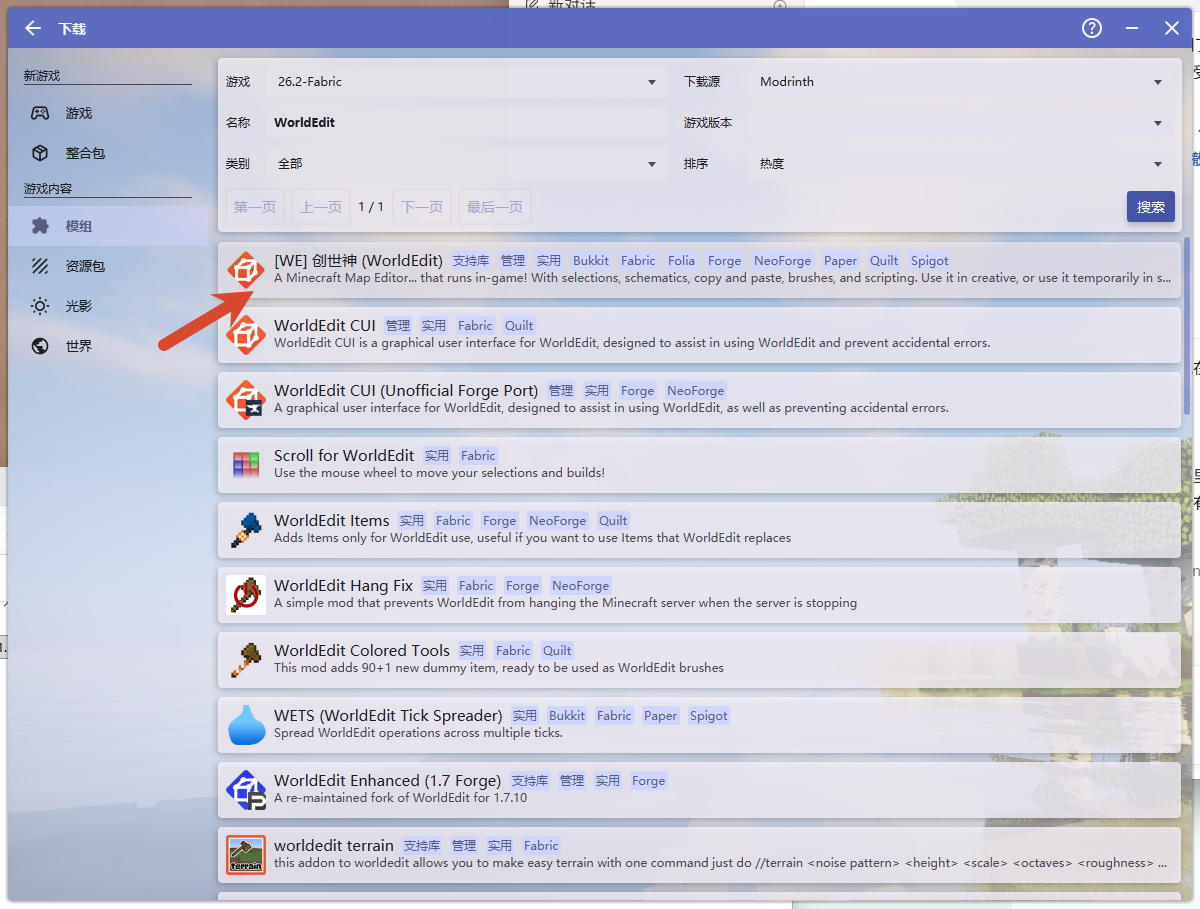
Put the schematic in the right folder
Download .schem schematic
The download uses your build’s name. Keep the .schem extension.
Open this in your launcher:The game directory for the version you are playing, then open config → worldedit → schematics, place the downloaded .schem file inside. If there is no schematics folder, create one.
当前版本的游戏目录
├─ mods
│  └─ worldedit-….jar         ← WorldEdit 模组
└─ config
   └─ worldedit
      └─ schematics            ← 图纸放这里
         └─ 我的建筑.schem
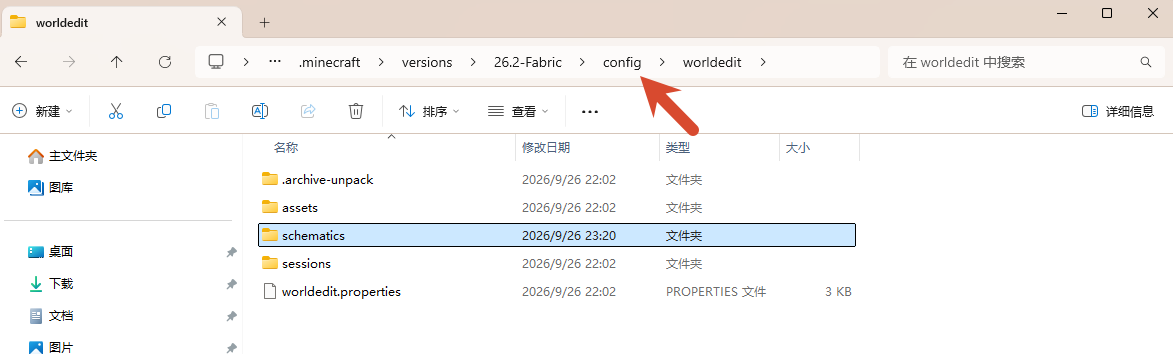
config/worldedit , find schematics。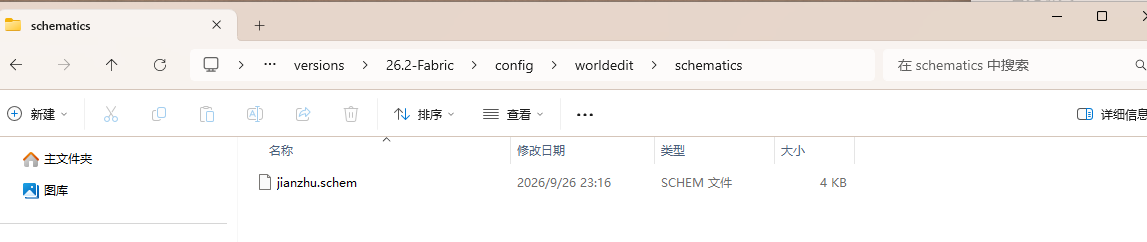
schematics, then put your downloaded schematic there. The filename in the screenshot is only an example.Load and place the schematic
OpenCheats enabled single-player world and stand near the intended site. The build’s saved origin is placed relative to you; the build may not be centered on your player.
- 02
Load this build
Copy the command below and send it in game chat. It already contains this build’s actual download filename.
//schem load 文件名.schem - 03
Paste into the world
After the load command succeeds, copy and send the second command to place the build.
//pasteIf the position is wrong, enter this in the game:
//undoUndo, then paste at a different location.
Check the filename and folder first
In the game, enter //schem list List schematics recognized by WorldEdit. Check that the file is inCurrent game versionof config/worldedit/schematics, and keep the downloaded filename and .schem extension. If WorldEdit commands are missing, check that this game instance has WorldEdit installed and the world has cheats enabled.